
For over 50 years, we have dedicated ourselves to providing Industry with best in class wire management solutions and to helping solve mission critical issues.

The needs of today’s schools and universities are changing fast. When it comes to anticipating and meeting those needs, MonoSystems is in a class of its own.

For the past five decades, we’ve made it our business to offer more value to our partners, which in turn provides greater value to their customers.
Choosing the best Rfid Inventory Software in 2026 is not just a feature comparison. It is a decision about whether staff can trust stock counts at the shelf, in the stockroom, and across locations. Auburn University’s RFID Lab has reported inventory accuracy near 95% in RFID-enabled retail settings, compared with roughly 65% using traditional methods. That difference can matter when a customer is waiting for a size that the system says is available.
The broader retail picture is less tidy. Zebra Technologies’ 2024 Global Shopper Study identifies inventory visibility as an ongoing challenge for retailers and shoppers. Yet software alone cannot fix poorly placed readers, inconsistent tag handling, or incomplete product data. Reality is messier. A useful evaluation should examine read accuracy, integrations with existing systems, exception handling, deployment effort, and the quality of reporting. It should also ask how quickly a store employee can find a misplaced item—not only what a dashboard displays.
This guide compares leading platforms through those practical questions. It considers suitability for retail, warehouses, and multi-site operations, while separating advertised capabilities from evidence a buyer can test. Results will vary. A smaller operation may need a simple, dependable workflow, while a large retailer may prioritize scale and analytics. No platform is best for every team. The right choice is the one that makes inventory more visible without adding needless work.
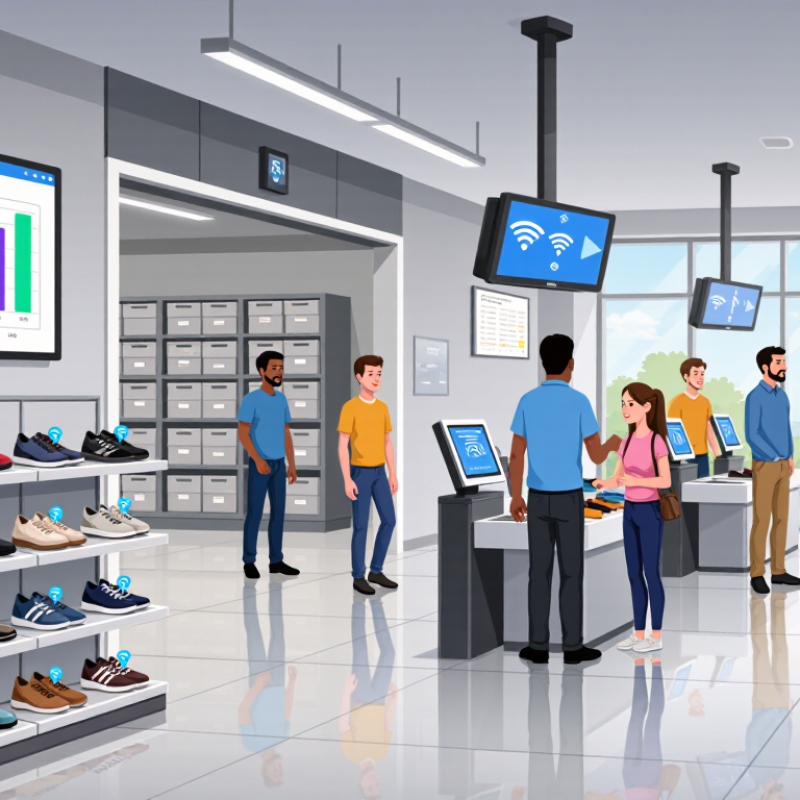
RFID inventory software turns radio-frequency tag reads into usable stock records. Each tagged item carries an identifier that a reader can detect without a direct line of sight. The software matches that identifier to an item record, then logs events such as receiving, movement, or shipment. Staff can review counts, search for items, and investigate mismatches from a shared dashboard. RFID is not magic. A read shows that a tag was detected, but it may not prove an item’s exact location.
In practice, readers capture signals at fixed points or on handheld devices. The software filters duplicate reads and compares collected IDs with expected inventory. For example, a receiving team might scan a box near a dock door, then check whether its contents appear in the purchase record. Results depend on tag placement, reader setup, and the surrounding materials. Metal shelves or tightly packed goods can cause missed reads. A common planning mistake is expecting software alone to fix inconsistent item records. It cannot.
Tips: Test a small area before expanding. Check read accuracy with real products, not just empty boxes. Set clear steps for correcting mismatches, and review exceptions regularly. Keep the workflow simple. Even a useful system can frustrate staff when alerts are unclear or routine scans take too long.
A useful RFID inventory platform connects tags, readers, and daily work without hiding how counts are produced. It should support bulk reads, item-level records, and configurable rules for receiving, transfers, cycle counts, and returns. At a receiving dock, staff might scan a pallet in seconds, then investigate three missing units. The system should show the last read, location zone, timestamp, and relevant workflow. That matters. But a dashboard can look precise while tags are blocked by liquid, metal, or poor placement. Operators need clear exception queues, not just colorful charts. No system reads perfectly.
Strong platforms also fit existing processes. They should exchange data with inventory and order systems, preserve a readable change history, and offer role-based access. Reports are useful when they show discrepancies, read rates, and aging stock—not merely total items. Test handheld and fixed readers in the actual environment; a warehouse shelf behaves differently from a small stockroom. A short pilot can reveal dead zones and awkward staff workflows before rollout. Some details will still surprise you. RFID reduces manual counting, but it does not replace sensible tagging standards or staff training. Choose software that makes errors visible and correction simple, even when the first setup needs revision.
Evaluating RFID inventory software in 2026 starts with the work your team actually performs. Map a normal receiving shift, a cycle count, and a busy dispatch window before comparing features. Can staff locate a missing pallet without switching between several screens? Does the system show when a read occurred, which reader captured it, and whether the record synced? Small details matter. A clean dashboard cannot fix inaccurate reads.
Test the software with your actual tags, readers, and warehouse layout. Metal shelving, liquid containers, and tightly packed cartons can affect read performance. Check how the platform handles duplicate scans, missed reads, offline operation, and count corrections. Confirm it connects reliably with your inventory or warehouse system, and ask how failed data transfers appear to staff. Try these workflows during a pilot, not just a scripted demonstration.
Measure count accuracy, time per location, and how often workers need manual corrections. Review user permissions, audit history, training needs, support hours, and the full cost of devices, setup, and subscriptions. Ask who can export inventory records and how long that process takes. No scorecard captures every odd shift. A pilot may reveal that one aisle behaves differently from the rest; investigate before dismissing the software or the result.
There is no single best option for every organization. Use this weighted scorecard to compare software against your inventory workflows, technical environment, and operational requirements. The weights below are suggested starting points; adjust them to reflect your use case.
| Evaluation Dimension | Suggested Weight | What to Look For | How to Verify It |
|---|---|---|---|
| Reader, tag, and device compatibility | 15% | Support for the RFID frequency, tag standards, fixed or handheld readers, and mobile devices required by your deployment. | Test with your intended tags and reader models. Confirm supported protocols, device operating systems, and any hardware or firmware dependencies. |
| Inventory capture and data quality | 15% | Reliable tag-event capture, duplicate-read handling, timestamping, and visibility into missed or questionable reads. | Run a controlled test in representative conditions. Compare captured item records with a known count and review how the system identifies exceptions. |
| Inventory workflows | 15% | Support for the tasks you perform, such as cycle counts, receiving, transfers, stock searches, audits, and exception resolution. | Walk through common workflows using realistic data. Check whether users can complete tasks without unnecessary steps or manual re-entry. |
| Integration and data exchange | 12% | Practical ways to exchange inventory, product, location, and transaction data with existing business systems. | Review available APIs, file formats, connectors, and synchronization options. Test a representative data flow, including error handling and updates. |
| Reporting and traceability | 10% | Useful stock and movement reports, searchable inventory history, export options, and access to records needed for audits. | Build sample reports for your required questions. Confirm that users can filter, export, and trace relevant inventory events. |
| Security and administration | 10% | Role-based access, user administration, appropriate audit records, and security controls that meet your organization’s policies. | Review permission settings, administrative logs, data-handling documentation, and the deployment’s fit with your security requirements. |
| Scalability and operational performance | 8% | Capacity to support expected item volumes, sites, readers, users, and inventory-event activity without disrupting daily work. | Ask for architecture and capacity details, then test with a workload representative of your expected peak usage. |
| Usability and training | 5% | Clear interfaces for the roles using the system, accessible task guidance, and a realistic onboarding process. | Have representative users complete key tasks and record completion time, errors, and training questions. |
| Deployment, support, and ongoing costs | 5% | A deployment approach, support arrangements, maintenance requirements, and total-cost details that fit your operating model. | Request a written breakdown of software, implementation, integration, hardware, support, and recurring costs; confirm support coverage and responsibilities. |
| Total suggested weighting | 100% | Adjust the weights before comparing options so the score reflects your organization’s priorities. | |
Scoring method: Rate each dimension from 1 (does not meet requirements) to 5 (meets requirements very well). For each row, calculate the weighted points as rating ÷ 5 × suggested weight, then add the points for an overall score out of 100. Confirm important requirements through hands-on testing rather than relying on feature descriptions alone.
The best RFID inventory software depends on the work it must handle, not the size of its feature list. A small warehouse may need quick tag reads, simple stock adjustments, and clear exception alerts. Keep it practical. A multi-site retailer needs shared item records, role-based access, and reliable synchronization across locations. Manufacturers may prioritize work-in-process tracking and links to production systems. In every case, test the software with real workflows: a metal shelf, a crowded receiving dock, and a misplaced carton can expose problems a polished demo misses.
Evidence can help set realistic goals. Auburn University’s RFID Lab has reported retail inventory accuracy improving from roughly 63% to 95% in RFID-supported operations; software alone does not create that result. MHI’s 2024 Annual Industry Report found that 55% of surveyed supply-chain leaders planned to increase technology investment, reflecting growing demand for connected operations. Compare options by asking how each handles existing scanners, ERP data, offline work, and staff training. Request a pilot using your own products and measure read rates, correction time, and inventory discrepancies. One uncomfortable question matters: are errors caused by software, or by inconsistent receiving habits? The answer may change what you should buy.
The best RFID inventory software in 2026 depends on how your operation moves goods, not just how many items it tracks. A hospital may need reliable location updates for equipment across rooms and floors. A clothing warehouse may prioritize fast counts by size and color. Small teams often value simple setup, while larger operations need role controls, audit trails, and integrations with existing systems. Match the platform to your daily workflow.
Tips: Test with your actual tags, shelves, and busiest work area. Measure missed reads, correction time, and staff effort—not just scanning speed. Ask how the system handles offline work and duplicate records. Test it there.
Scale changes the right choice. A growing retailer may need several sites to share inventory without slowing down local receiving. Check whether dashboards can separate locations and whether staff can resolve exceptions without technical support. Also review data export options and training needs. A polished demo can hide awkward steps. A messy stockroom can expose them. Run a short pilot with real users before committing; the results may challenge your assumptions.