
For over 50 years, we have dedicated ourselves to providing Industry with best in class wire management solutions and to helping solve mission critical issues.

The needs of today’s schools and universities are changing fast. When it comes to anticipating and meeting those needs, MonoSystems is in a class of its own.

For the past five decades, we’ve made it our business to offer more value to our partners, which in turn provides greater value to their customers.
Global buyers choosing a Wireless Barcode Scanner need more than a low quoted price. Range, scanning performance, battery life, and host compatibility shape everyday results. Small details matter. A scanner that reads a smudged label at arm’s length may save repeated trips across a busy warehouse aisle. One that pairs easily with your existing tablet can reduce setup time.
The right choice depends on where and how your team works. A retail counter has different needs from a cold storage room or a large distribution center. Check the stated wireless range, supported barcode types, charging method, and compatibility with your operating systems. Ask suppliers for clear product specifications, warranty terms, and access to technical support in your region. If possible, test a sample with your own labels and devices before placing a large order.
Specifications are useful, but they do not tell the whole story. A scanner may look ideal on paper and still feel uncomfortable during a full shift. Weigh the trigger, grip, charging routine, and ease of replacing accessories. Also consider communication delays, regional availability, and the time needed to train staff. There is no perfect model for every market. These ten buying tips will help you compare options carefully, ask better supplier questions, and choose equipment that fits your real workflow—not just the product sheet.
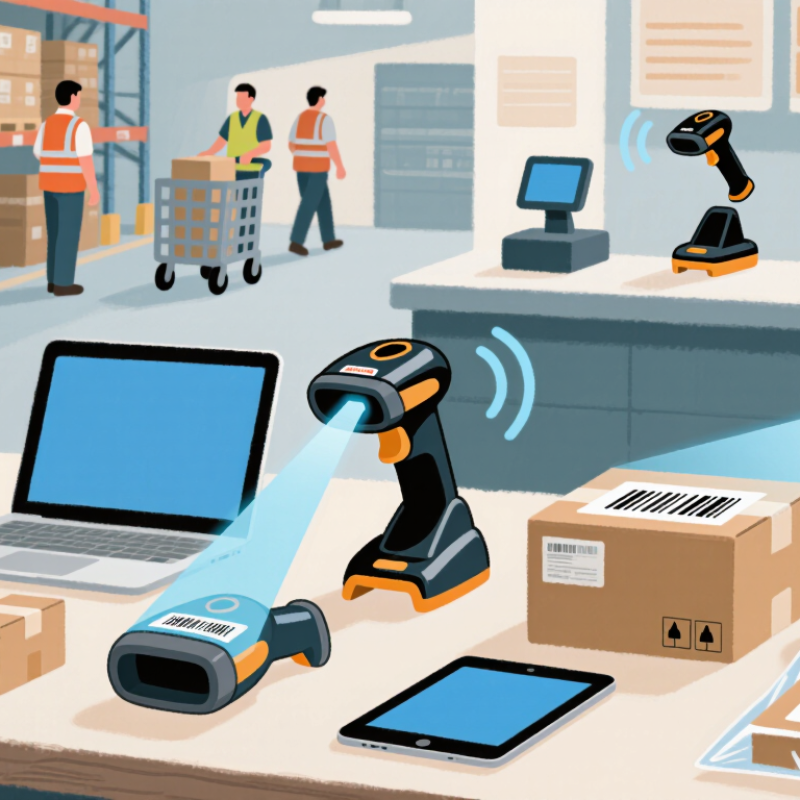
Identify the barcode before comparing wireless scanners. UPC and EAN are common on retail items; Code 128 often appears on cartons and labels. QR and Data Matrix codes hold more information in compact spaces. Confirm the actual symbol, print quality, and smallest label your team handles. A scanner that reads a large carton code may struggle with a worn code on a curved package. Test real samples. Not just catalog images.
Map the scan to the workflow. Does staff scan items at arm’s length, from a forklift, or at a packing bench? Check read distance, daily scan volume, connection range, and whether the device can store scans during a temporary network outage. Range matters. The 2024 MHI Annual Industry Report reports that 55% of surveyed organizations use robotics and automation, while 73% expect to use them within five years. This signals growing automation, not a scanner-specific forecast. Still, it makes workflow compatibility worth checking: confirm pairing with your terminals and software, battery life across a full shift, and resistance to dust or drops. Test during a busy shift; a few missed scans can slow the line. I would also retest after changing label stock. That step is easy to overlook.
A wireless barcode scanner should fit the way people actually work. A pistol-grip design feels natural at a packing bench, where staff scan boxes all day. A compact, pocket-sized unit is easier to carry between shelves, but may feel awkward during repeated scans. Test both with gloves and the labels your team uses. Small ergonomic differences become noticeable by mid-shift.
Range claims need context. A scanner may read across an open aisle but struggle when shelving blocks the signal. Check the distance from the operator to the host device, and test through typical obstacles. Speed matters too, though a quick scan demo can be misleading. Measure how long it takes to scan, confirm, and move each item. Watch for missed reads during busy periods. Accuracy depends on more than the scanner: label contrast, damage, angle, and barcode size all matter. Try wrinkled or lightly scuffed labels, not only perfect samples. That part is easy to overlook. Compare results across several operators, since handling styles vary. A neat test bench may not represent a noisy warehouse.
10 Wireless Barcode Scanner Buying Tips for Global Buyers
Wireless connectivity should match the place where scanning happens. Bluetooth can suit checkout counters and mobile carts, while a dedicated radio link may work better across larger work areas. Check the stated range carefully. A clear-room figure may shrink behind metal shelving, coolers, or busy access points. Test the scanner in the actual aisle, not just beside a computer. Small detail, big difference. Also ask whether it reconnects automatically after leaving range, and whether it stores scans during brief signal loss. A dropped scan can cost more time than a slower scan.
Compatibility needs a real check, too. Confirm the scanner supports your operating system, connection method, and required barcode types. A device that pairs successfully may still send data in the wrong format. Try it with your inventory software and a sample label before ordering in volume. For international teams, check keyboard layouts and language settings; punctuation can appear differently across configurations. Do not assume “plug and play” means every workflow is covered. It often isn’t.
Battery claims deserve context. Ask how many scans the rating assumes, and compare that with a full shift of scanning and idle time. A busy warehouse may need a spare battery or charging cradle. Check charging time and whether batteries can be replaced without interrupting work. A simple field trial helps: scan through a representative shift, including breaks and reconnects. Published numbers are useful, but your workload is the better measure.
| No. | Buying Dimension | What to Evaluate | Practical Check | Why It Matters |
|---|---|---|---|---|
| 01 | Wireless connection type | Identify whether the scanner uses Bluetooth, a dedicated 2.4 GHz USB receiver, or both. Check whether a receiver is included and whether the connection supports the intended host device. | Test the scanner with the actual computer, tablet, or point-of-sale system. Confirm pairing steps and whether multiple scanners can operate in the same workspace. | Connection options affect setup, mobility, and how easily the scanner can be used with different devices. |
| 02 | Wireless range and work area | Compare the stated operating range and the conditions under which it was measured. Walls, shelving, metal surfaces, radio interference, and device placement can reduce real-world range. | Measure performance across the actual work area, including any obstacles. Test at the farthest scanning point rather than relying only on an advertised maximum. | A suitable range helps prevent missed scans and interruptions in warehouses, retail areas, and other larger spaces. |
| 03 | Host and software compatibility | Check supported operating systems and connection modes, such as USB HID keyboard emulation, virtual COM/serial, or a software development kit (SDK). | Confirm that scanned data appears correctly in the target application, including punctuation, line breaks, prefixes, and suffixes. Ask about driver or SDK requirements where relevant. | A scanner may connect successfully but still need the correct interface or configuration to work with business software. |
| 04 | Barcode symbologies | List the barcode types used in your workflow. Common 1D formats include Code 128 and UPC/EAN; common 2D formats include QR Code and Data Matrix. | Test representative labels, including the smallest, most damaged, low-contrast, or screen-displayed codes your operation must read. | Choosing the required symbologies prevents purchasing a device that cannot decode the labels in everyday use. |
| 05 | Battery runtime and charging | Compare published runtime under stated test conditions, battery capacity, charging time, and whether the battery is replaceable. Runtime can vary with scan frequency and wireless use. | Ask for runtime information based on a defined usage pattern. Check charging options, spare-battery availability, and whether the scanner can operate while charging. | Reliable battery planning reduces downtime during long shifts and helps match charging routines to the work schedule. |
| 06 | Pairing, roaming, and reconnection | Review how the scanner pairs, whether it reconnects automatically after a temporary signal loss, and how it behaves when moving between host devices or workstations. | Test power cycling, brief out-of-range movement, and reconnection. Confirm whether the scanner provides clear visual or audible connection-status feedback. | Simple and dependable reconnection procedures can reduce operator training time and avoid unnecessary workflow delays. |
| 07 | Data transmission and offline use | Determine whether the scanner sends each scan immediately or stores scans when disconnected. For batch use, check memory capacity, upload behavior, and duplicate handling. | Test what happens when the host connection is interrupted. Verify that stored scans are retained, uploaded in the expected order, and not unintentionally duplicated. | Offline storage can support inventory work away from a host device, but its limits and data-handling behavior should be understood in advance. |
| 08 | Durability and ingress protection | Review documented drop-test conditions and any IP rating. IP ratings are based on defined dust and water ingress tests and do not describe impact resistance. | Match the stated test conditions to the workplace. For an IP rating, check the exact rating and test scope rather than assuming protection against every liquid or exposure. | Appropriate protection can improve suitability for demanding environments, while clear test details make specifications easier to compare. |
| 09 | Ergonomics and scan feedback | Consider scanner weight, grip shape, trigger feel, aiming visibility, and audible, visual, or vibration feedback. Check whether feedback can be adjusted for noisy or quiet areas. | Have intended users scan for a representative period and with the labels they handle most often. Check comfort, aiming, and confirmation in the work environment. | Comfortable handling and clear confirmation can support consistent scanning during repetitive tasks. |
| 10 | Regional compliance and support | Confirm applicable radio and product compliance documentation for the destination market. Review warranty terms, repair options, manuals, configuration support, and spare-part availability. | Request documentation for the countries where the scanner will be used and confirm the support process, service coverage, and expected response arrangements. | Requirements and support arrangements vary by market; checking them before purchase can help avoid import, deployment, and maintenance issues. |
A wireless scanner should survive the shift, not just a showroom test. Check its stated drop height, test surface, and number of repeated drops; “rugged” alone proves little. An IP rating under IEC 60529 describes protection from dust and water, not impact resistance. Ask for both kinds of evidence. A small flaw matters. Weigh the scanner with its battery, then test its grip and trigger during a realistic picking task. A slightly awkward handle can become tiring after hundreds of scans. The 2024 MHI Annual Industry Report found that 55% of respondents planned to increase supply-chain technology investment, making dependable equipment a practical concern—not a luxury.
Certifications and wireless approvals vary by destination, so confirm documentation for each market before ordering. Ask which radio frequencies and safety requirements apply, and have the supplier identify the relevant certificates or declarations. Do not assume one approval covers every region. Regional support deserves the same scrutiny: confirm local repair options, replacement-battery availability, response hours, and the process for warranty claims. A low unit price can look less attractive when a scanner must travel across borders for service. Request a sample and test it in your own lighting, shelving, and network conditions. I would not rely on a polished demo alone.
A wireless barcode scanner’s purchase price rarely shows the full cost. Compare batteries, charging cradles, replacement cables, software setup, and freight. Ask whether the quote includes import duties or only delivery to the port. A scanner that drops its connection across a busy warehouse aisle can slow packing and create costly rechecks. Test it with your label size, working distance, and host system before ordering in quantity. Small costs add up.
Tips: Request a written quote listing the scanner configuration, accessories, shipping terms, and payment schedule. Check the warranty period and what it covers. Battery wear, accidental damage, labor, and return freight may be treated differently. Ask how repairs work and how long replacement parts usually take. Get the details in writing. Ask for proof.
Supplier reliability needs more than a polished website. Request a sample, a current specification sheet, and references from buyers with similar workflows. Confirm that the supplier can track serial numbers and keep firmware consistent across repeat orders. A low quote may still be the right choice, but it deserves a closer check. A fast reply alone does not prove dependable after-sales support. Agree on a response channel and escalation contact before shipment, especially when scanners support daily dispatch.
Suggested evaluation weights for comparing total cost, warranty coverage, and supplier reliability alongside scanner performance. These are planning recommendations, not market-survey results.
Use the weights as a starting point and adjust them to match your operating environment, import requirements, and service expectations. Compare quotes on a like-for-like basis, including shipping, duties, accessories, and support.